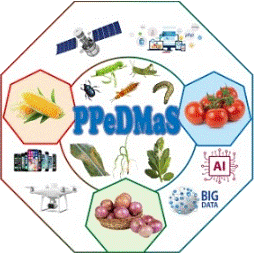
PlanteSaine mobile app
Take a photo of an affected plant and the app's AI identifies the pest or disease, then recommends how to manage it. It covers maize, onion and tomato and works without an internet connection once installed.
- 3crops covered: maize, tomato and onion
- 30classes in the training dataset, healthy plants included
- 90%+accuracy in model evaluation
- Offlineworks without internet after installation
From photo to advice in a few steps
- Register your farmUsers can save farm details, including the GPS location and the crops grown.
- Pick the cropChoose maize, tomato or onion for the registered farm.
- Photograph the problemTake a picture of the affected leaf, fruit or plant, or choose one from the phone gallery.
- Read the diagnosisThe app names the pest or disease and shows similar images to confirm.
- Follow the recommendationThe app suggests control measures, and users can explore a library of pests and diseases for each crop.
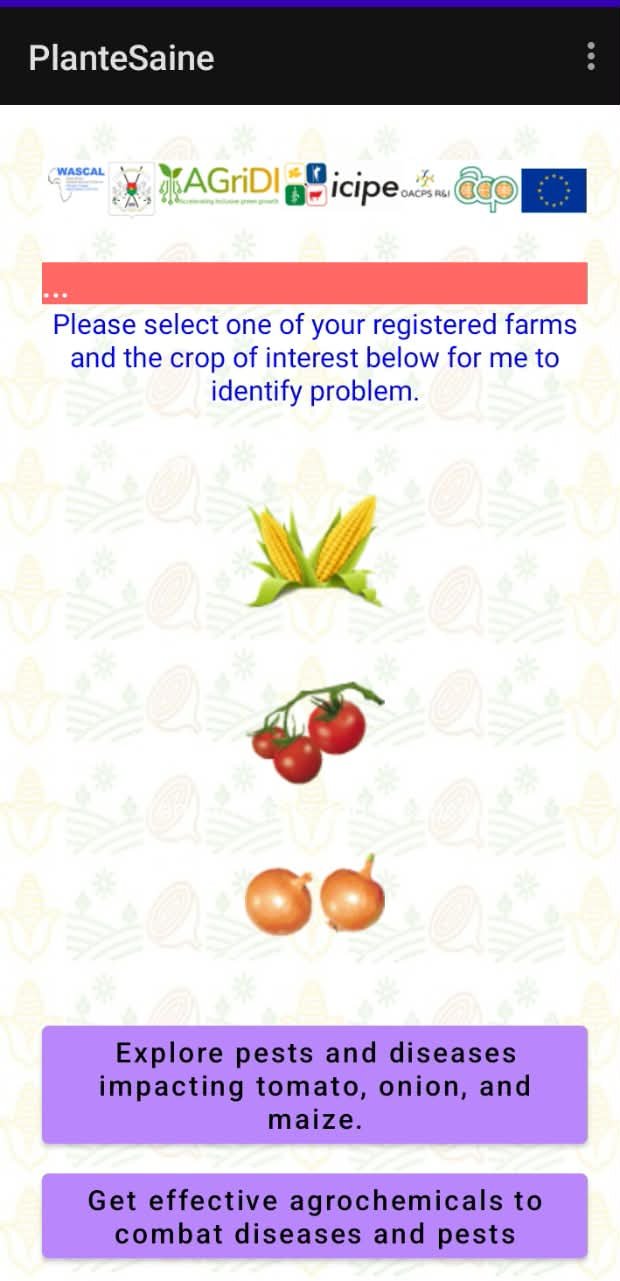
What PlanteSaine does
AI diagnosis
Identifies pests and diseases from a photo, using models trained on images collected in Burkina Faso.
Control recommendations
Gives management advice for the problem it finds.
Works offline
Once installed, diagnosis does not need an internet connection.
Farm registration
Stores farm location and crops so advice matches the user's situation.
Pest and disease library
Explore the pests and diseases affecting tomato, onion and maize.
Feedback and updates
Diagnoses can be sent to a server and users can give feedback, which helps improve future versions.
How the AI was built
The model learned from field photos collected by trained extension officers across 15 communes in Burkina Faso.
- Labelled by expertsTechnicians labelled the images and the project's entomologist and plant pathologist verified them.
- Trained as three classifiersA deep-learning model based on EfficientNetB3 was trained for each crop: maize, tomato and onion.
- Tested with usersExtension officers tested early versions from August 2023. After their feedback, the app was first published on Google Play in April 2024, and the full production version followed on 22 August 2024.
In use across Burkina Faso
registered users
Against a project target of 165 users by the end of 2024. Of the users who stated their profession, 68% are farmers or extension officers, and the rest are students and researchers.
installations
378 devices were active at the time of the report. The drop in active devices reflects the dry season, when there is less farming activity.
regions have users
Every region except Centre-Nord has users. The largest group is in Centre-Ouest, one of the project regions.
Figures from the project completion report. Some users in regions outside the project come from a partner project with the bank RCPB, which uses PlanteSaine to support farmers who receive its loans.
Already used beyond the pilot
Ministry of Agriculture
Trained extension officers nationwide to use PlanteSaine after the official handover.
RCPB bank
Uses the app to support farmers who receive agricultural loans.
349 farmers
Recruited with RCPB for training under WASCAL's CICLES project, which includes training on PlanteSaine.
Get the app
- DownloadUse the Google Play button above, or the download from this website, on your Android phone.
- InstallOpen the downloaded file and follow your phone's prompts. Once installed, the app works without internet. If you downloaded the file from this website instead of Google Play, your phone may ask you to allow installation from this source.
- Register your farmAdd your farm details, including its location and the crops you grow.
- DiagnoseChoose a crop, photograph the problem and read the recommendation.
Frequently asked questions
Which crops does it cover?
Maize, tomato and onion.
Do I need internet to use it?
No. Once installed, the app can be used without internet access. Sending diagnoses to the server and giving feedback need a connection.
How accurate is it?
The models scored over 90% accuracy in evaluation. Photos that are clear and show the affected part of the plant give the best results.
Who is it for?
Farmers and extension officers, and also students and researchers.
Is there an iPhone version?
The project documents describe an Android application only.
Where can I get help?
Contact the project team through the Contact page.
Know what is coming before it arrives
Pair the app with the Early Warning System to check conditions across the country.